Offline field operations software is difficult to explain because the product lives across two environments. A technician uses a mobile workflow at the worksite, while a management team later reviews structured activity through a centralized dashboard.
A strong product video has to connect those perspectives without treating “works offline” as a small badge or inventing technical behavior that the product source does not confirm.
Why offline field software needs a workflow story
Office software can often be shown through one continuous screen recording. Field software has to explain the physical task, the mobile interaction, unreliable connectivity and the management view that follows.
If the video focuses only on interface screens, the operational context disappears. If it focuses only on the field, the buyer may not understand how procedures and records become visible to the wider organization.
Start where the work actually happens
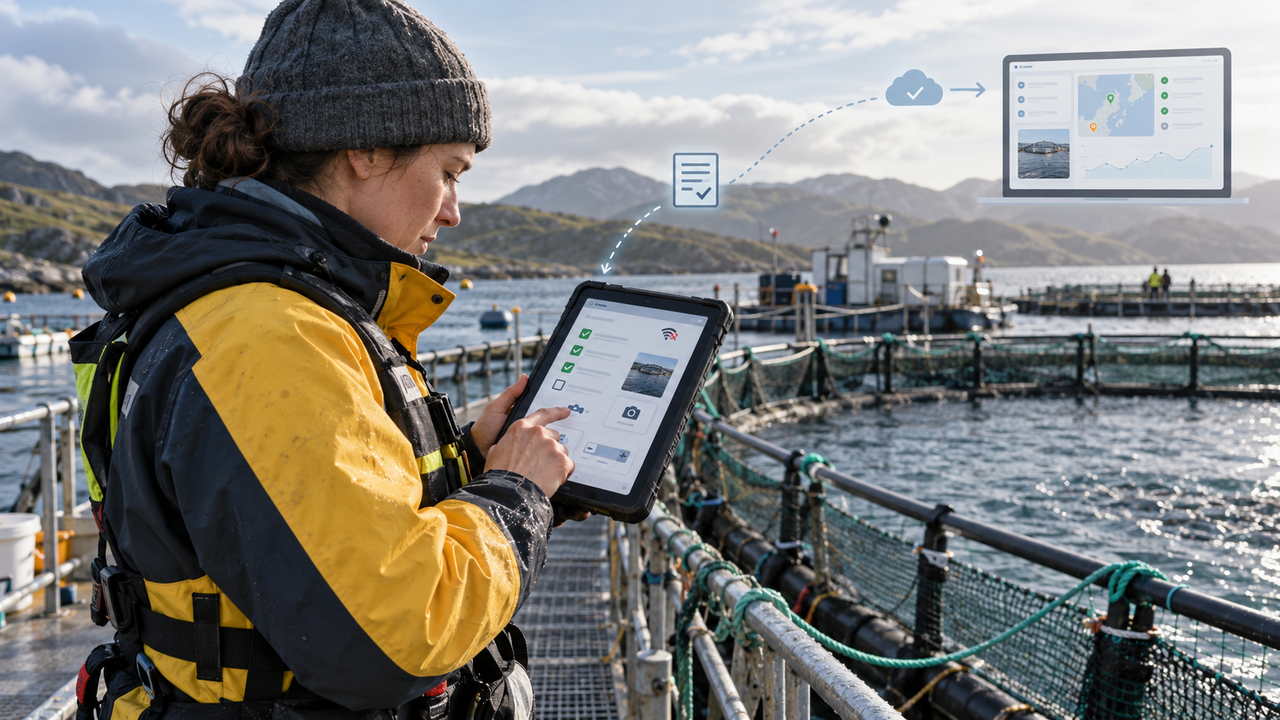
Open at the field site with a technician carrying out a defined procedure. Establish the practical conditions before presenting the software: remote work, mobile access, evidence collection and connectivity that may not always be available.
The mobile product should enter as part of the task. The technician is not browsing features; they are following a process and recording what happened.
Use Sudvet Corp as a concrete example
The Sudvet Corp aquaculture field operations platform provides a clear example of this two-environment product story.
Sudvet is designed for technicians working at fish-farming sites. The documented product supports treatment management, sampling and follow-up sampling, dosage calculations, procedure checklists, evidence or photo capture, operational records and historical activity.
Its mobile app is designed to work offline, which matters at remote sites where internet connectivity may be unreliable. Management teams can review operational information through a centralized web dashboard.
Follow one procedure from field activity to oversight
A single procedure gives the video a clear narrative spine. The sequence can include:
- Open a defined treatment or field procedure on the mobile device.
- Move through the relevant checklist in the order the work is performed.
- Record sampling activity or a dosage calculation where it belongs in the process.
- Capture photo evidence and the operational record.
- Continue the field workflow while connectivity is unavailable.
- Transition later to the centralized dashboard, where management can review treatment activity, effectiveness and historical records.
This sequence shows the relationship between the work and the software without turning the video into a catalogue of screens.
Demonstrate offline continuity visibly
Offline capability should be shown as a change in working conditions, not left as a line of narration. A connection indicator can change, while the technician continues through the approved mobile workflow.
When the story moves back to a connected environment, the video can transition to the management view. It should not claim a specific synchronization speed, background process or conflict-resolution method unless those behaviors are separately verified.
The supported promise is operational continuity in the field and structured visibility afterward, not a technical specification for how data transfer works.
Keep technician and management roles distinct
The technician view should stay close to the task: procedures, sampling, calculations, checklists, evidence and follow-up activity. The management view can widen to treatment activity, effectiveness, operational performance and historical records.
A clear visual handoff between these roles helps the buyer understand that the product is more than a mobile checklist and more than a reporting dashboard. It connects field execution with oversight.
Show the workflow, not every interface
Each screen should advance the same procedure. When the technician completes a checklist item, the next visual should explain the next operational action. When evidence is captured, show where that evidence belongs in the record.
Avoid jumping between unrelated modules simply because they are available. The viewer should be able to retell the process after watching the video.
Separate exact product UI from explanatory motion
Use interface-accurate screens for the mobile procedure and web dashboard when approved references are available. Use conceptual motion only to clarify transitions, such as moving from field activity to the later management view.
Any illustrative map, connection indicator or dashboard transition should be presented as explanation rather than as a verified screenshot, network diagram or proof of a particular infrastructure.
Make the offline state understandable without drama
The video does not need a crisis scene. A restrained connectivity change is enough: the signal becomes unavailable, the device remains usable and the technician continues the defined process.
This keeps the emphasis on reliable field work. The product value comes from continuity and structured recording, not from exaggerating the remoteness of the environment.
Use domain detail carefully
Aquaculture makes the workflow specific, but the video should only use details confirmed by the source. Treatments, sampling, follow-up sampling, dosage calculations, checklists, evidence capture and historical activity are supported.
Do not invent chemical names, dosage values, treatment outcomes, fish species, site specifications or performance improvements. The video can explain the operating model without making technical or biological claims.
Answer the buyer’s practical questions
A focused field-software video should make these points clear:
- What does the technician need to complete at the site?
- Which parts of the procedure are recorded on the mobile device?
- What remains possible when internet connectivity is unreliable?
- What information becomes available to management through the centralized dashboard?
- How do historical records and follow-up activity fit into the operating process?
These questions create a buyer-oriented story without competing with the broader commercial intent of the product-demo service page.
A practical product-video structure
- Context: establish the remote aquaculture site and the technician’s operational task.
- Procedure: open the relevant treatment or field workflow on the mobile device.
- Execution: show the checklist, sampling, calculation and evidence steps in context.
- Offline moment: make the connectivity change visible while the approved workflow continues.
- Oversight: move to the centralized web dashboard and historical activity view.
- Close: summarize the product as a link between structured field work and management visibility.
Related guidance for complex software videos
For another multi-role operational story, read How to Create a Product Demo for a Complex Enterprise SaaS Workflow.
For screen selection and pacing, see How to Create a Software Demo Video Buyers Can Follow.
If the platform contains several connected capabilities, use the framework in Explaining Multiple SaaS Features in One Product Video.
Need to explain software that works beyond the office?
Nxtale Studios creates animated SaaS product demo videos that connect mobile field activity with management workflows. Share the approved procedure, offline behavior, interface references and dashboard journey, and we can shape them into a clear product story for buyers, operators or internal teams.